

An opening balance is the starting point for an account when you begin bookkeeping in a new file or bring an existing set of books into a new accounting system. If that starting point is wrong, the error can carry forward into later reconciliations, account balances, and financial reports.
The good news is that an incorrect opening balance does not automatically mean the entire bookkeeping file is ruined. The key is to identify what created the balance, compare it with reliable supporting records, and correct the underlying entry rather than simply forcing the account to match.
1. What Is an Opening Balance?
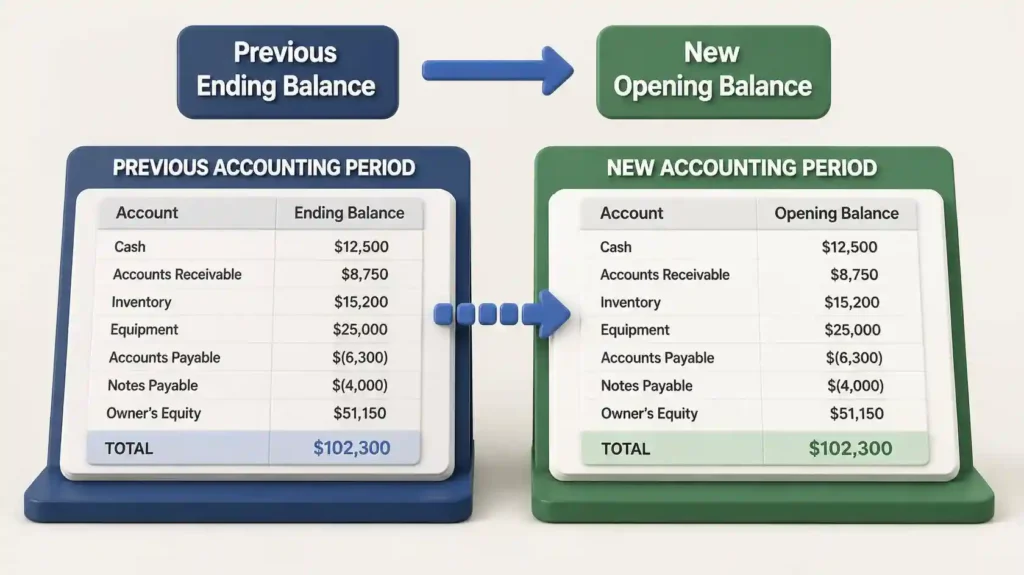
Think of the opening balance as the starting line of an account. For example, if a business had $18,500 in its bank account at the end of the previous accounting period, the next period should normally begin with that same $18,500 as the opening balance, assuming there were no legitimate changes between the periods.
Opening balances can apply to bank accounts, credit cards, loans, accounts receivable, accounts payable, equity accounts, and other balance-sheet accounts. The correct amount should come from reliable records such as the prior period’s reconciled balance, bank or credit-card statements, loan statements, or an approved closing balance
2. Common Causes of Incorrect Opening Balances
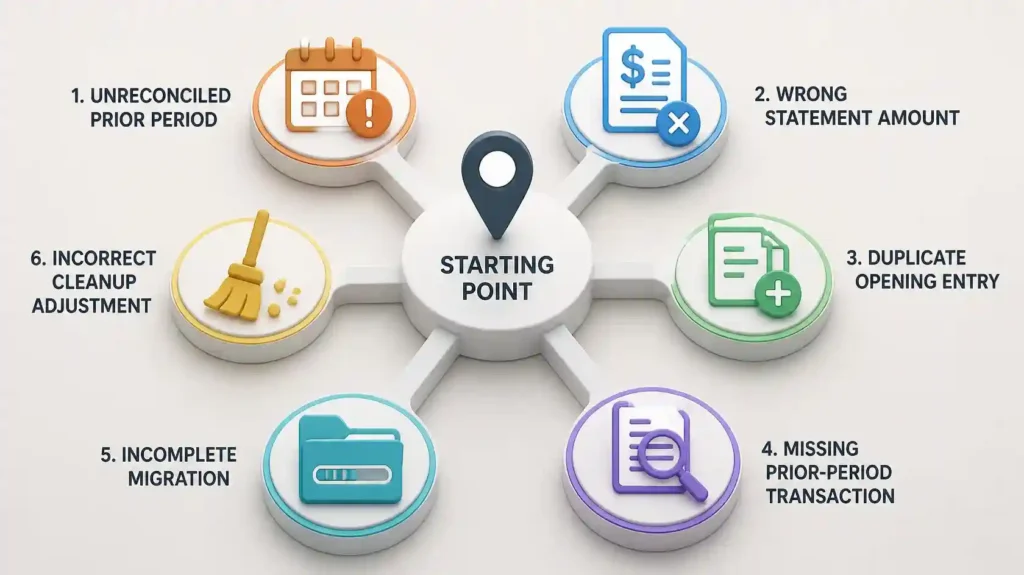
Previous-period books were not properly reconciled.
If the prior period contained unreconciled or incorrect transactions, its ending balance may already be wrong.
The wrong statement ending balance was entered.
A common mistake is entering the wrong date or amount from a bank or credit-card statement.
A beginning balance was entered twice.
This can happen when an opening balance is created manually while another imported or migrated entry already represents the same amount.
Transactions from the previous period are missing.
If transactions that should belong to the earlier period are omitted, the balance carried into the new period can be incorrect.
Account migration or conversion was incomplete.
When moving from another accounting system or rebuilding a QuickBooks file, balances may be transferred incorrectly or mapped to the wrong accounts.
A prior cleanup adjustment was posted incorrectly.
An adjustment may have been made to force a balance to match without identifying the actual source of the discrepancy.
3. How an Incorrect Opening Balance Affects Your Books
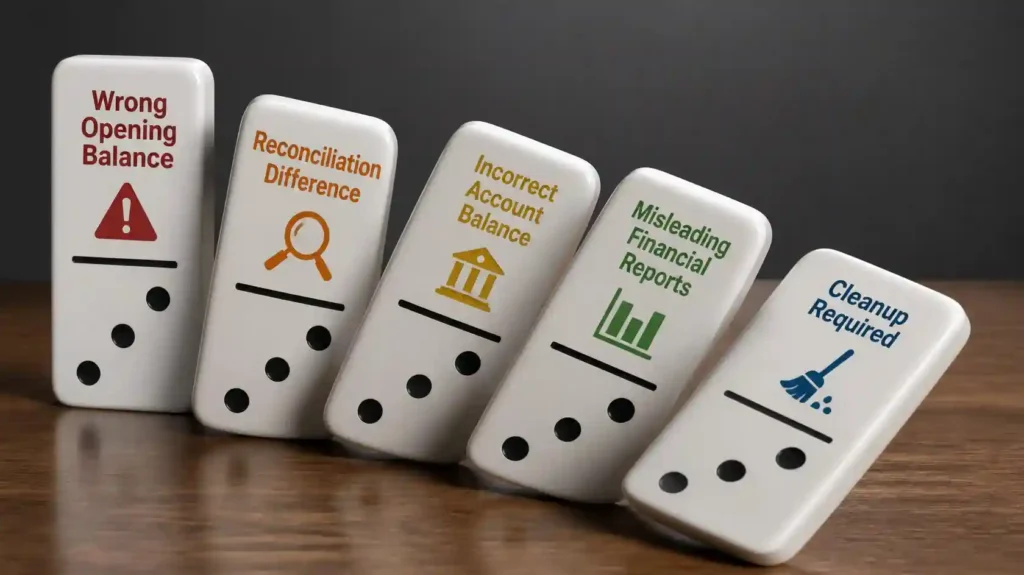
An opening balance is not just a number sitting at the top of an account. It becomes part of the account’s history. If it is wrong, later activity can make the problem harder to spot.
⦁ Bank or credit-card reconciliations may not agree with the statement.
⦁ Balance-sheet accounts can show incorrect balances.
⦁ Loan balances may not agree with lender statements.
⦁ Accounts receivable or accounts payable may appear overstated or understated.
⦁ Equity balances can be distorted when opening adjustments are posted incorrectly.
⦁ Profit and loss may be affected when an opening-balance problem is incorrectly pushed through an income or expense account.
4. How to Investigate an Incorrect Opening Balance
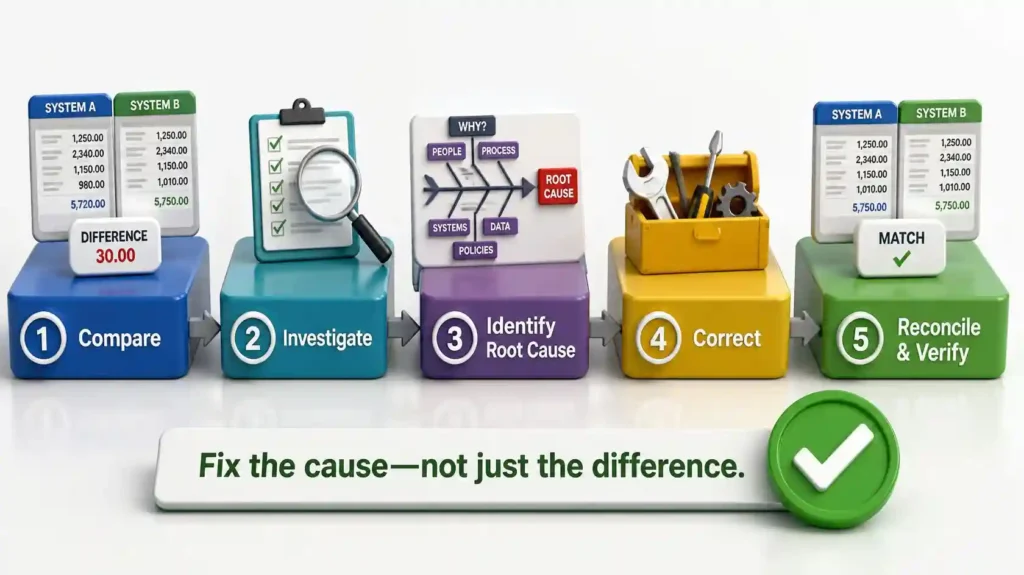
Do not immediately edit the opening balance just because it does not match. First determine why it is different.
- Identify the exact account with the questionable opening balance.
- Confirm the opening date being used in the accounting file.
- Locate the prior period’s final reconciled statement or approved ending balance.
- Compare that ending balance with the opening balance in QuickBooks.
- Review the account register for transactions around the conversion or opening date.
- Look for duplicate opening entries, missing transactions, or unusual journal entries.
- Check whether the prior period was actually reconciled before the opening balance was created.
- Document the cause of the discrepancy before making a correction.
5. How to Fix an Incorrect Opening Balance
The correct fix depends on the cause. There is no single adjustment that should be used for every opening-balance problem
If the prior-period ending balance is wrong
Correct the underlying prior-period transactions or reconciliation issue first, when appropriate and permitted by the bookkeeping/tax workflow.
If the opening amount was entered incorrectly
Correct the opening entry using the supporting statement or approved balance as the source.
If the opening balance was duplicated
Identify and remove or reverse the duplicate entry rather than creating another adjustment to offset it.
If transactions are missing
Add the legitimate missing transactions to the correct period and then reassess the opening balance.
If the file was migrated or converted
Compare the converted balances with the source system and supporting statements, then correct mapping or conversion errors.
If a previous adjustment was used as a plug
Investigate what the adjustment was intended to fix. Do not simply create another plug entry without evidence.
6. Example: A Bank Opening Balance That Does Not Match
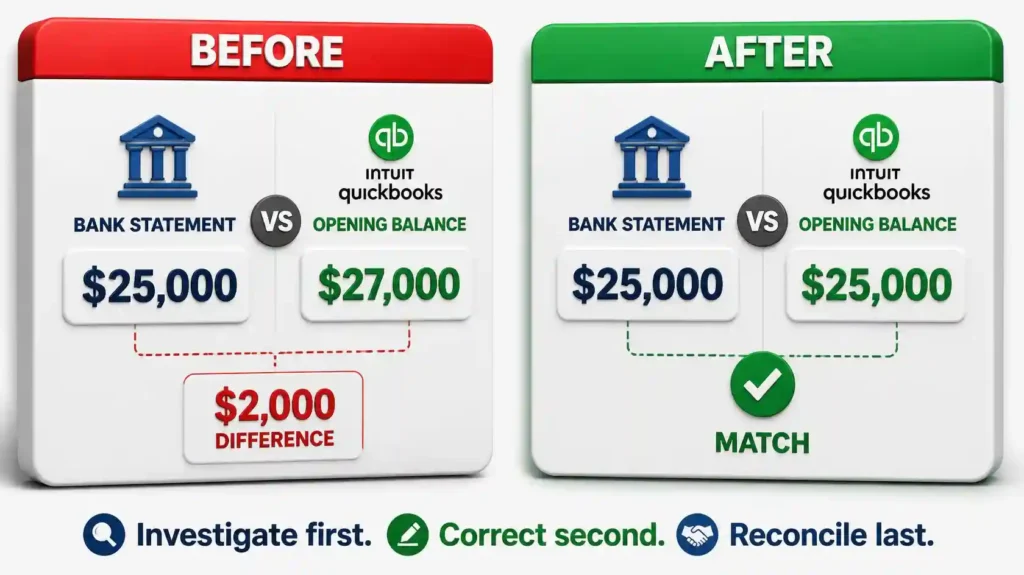
Suppose a business starts a new QuickBooks file on January 1. The December 31 bank statement shows an ending balance of $25,000, but the QuickBooks opening balance is $27,000.
The $2,000 difference should not automatically be posted to an expense or income account. The bookkeeper should first determine whether the previous period contained a missing transaction, duplicate entry, incorrect amount, or an incorrect prior-period balance.
Once the cause is identified, the appropriate correction can be made and the account can be reconciled against the supporting statement.
7. What NOT to Do
⦁ Do not force the account to match by posting an unexplained expense or income entry.
⦁ Do not delete transactions simply because they make reconciliation difficult.
⦁ Do not create multiple adjustment entries until the original cause is understood.
⦁ Do not assume that an opening-balance mismatch is always a bank-feed problem.
⦁ Do not close the issue without documenting the source of the corrected balance.
8. Final Checklist
☐ Opening date confirmed
☐ Prior-period ending balance verified
☐ Supporting statement or source report reviewed
☐ Missing transactions checked
☐ Duplicate entries checked
☐ Prior reconciliation reviewed
☐ Opening entry traced to its source
☐ Correction documented
☐ Account reconciled again after correction
☐ Financial statements reviewed for unexpected changes
An incorrect opening balance can be a simple data-entry mistake—or a sign that the books need a deeper cleanup. The safest approach is to trace the balance back to reliable records, identify the root cause, and correct the underlying issue.