

The Short Answer
Your books are “tax-ready” when your tax preparer can use them without asking you a long list of questions. That means every bank account matches its statement, every transaction has a category, and your business money is kept separate from your personal money. You don’t need perfect books. You need books that are clear and correct.
A Common Situation
Picture a small business owner. It’s February, and her tax preparer sends a short email: “Please send your year-end reports.”
She opens her accounting software and sees a few problems. Hundreds of transactions are marked “Uncategorized.” One bank account doesn’t match the statement. A grocery bill from her home is sitting in business expenses.
Her business did well last year. But now the preparer has to stop and ask questions, and the filing gets delayed.
Note: This is an example scenario to show a pattern we often see in small business books.

Six Things to Check in Your Books
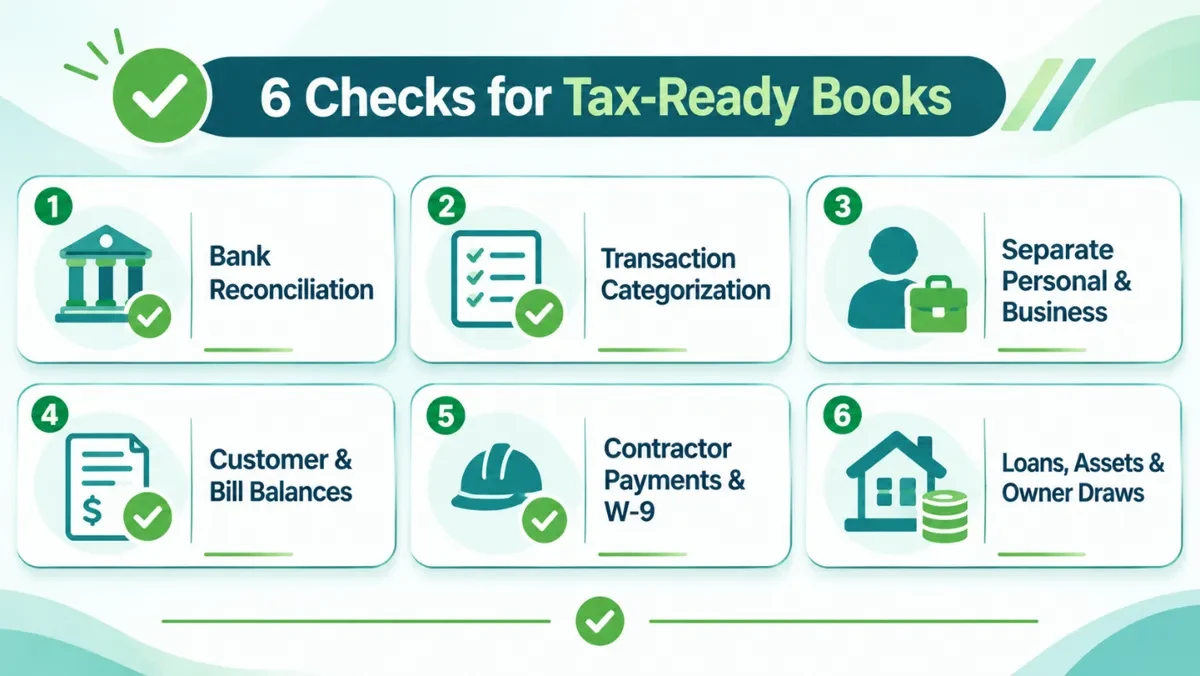
Go through these six checks one by one.
1. Your bank and credit card accounts match the statements
This is called reconciling. Compare the balance in your accounting software with the balance on your bank statement for each month. If they don’t match, your reports can’t be trusted yet.
2. Every transaction has a clear category
Look for categories named “Uncategorized Expense,” “Uncategorized Income,” or “Ask My Accountant.” If they have a balance, some money has not been sorted. Your tax preparer can’t guess what these are.
3. Personal and business money are kept apart
A grocery bill, a family trip, or a personal phone bill should not be in business expenses. If personal items are mixed in, your profit looks wrong, and that can cause problems later.
4. Customer and bill balances are correct
If a customer paid you but the invoice still shows as unpaid, your income may be counted wrong. The same goes for bills you already paid that still show as owed.
5. Contractor payments are recorded
If you paid freelancers or contractors, your tax preparer may need their total payments and basic details. In the US, this is usually done through a W-9 form. Ask for it when you first hire someone. It is much easier than chasing them in January.
6. Loans, equipment, and owner withdrawals are recorded properly
Only the interest part of a loan payment is an expense (see why loan balances often go wrong). A new van or laptop is usually recorded as an asset, not a regular expense. And money you take out for yourself is not a business expense. Your tax preparer decides the final treatment, but these items need to be in the right place first.
Warning Signs in Your Books
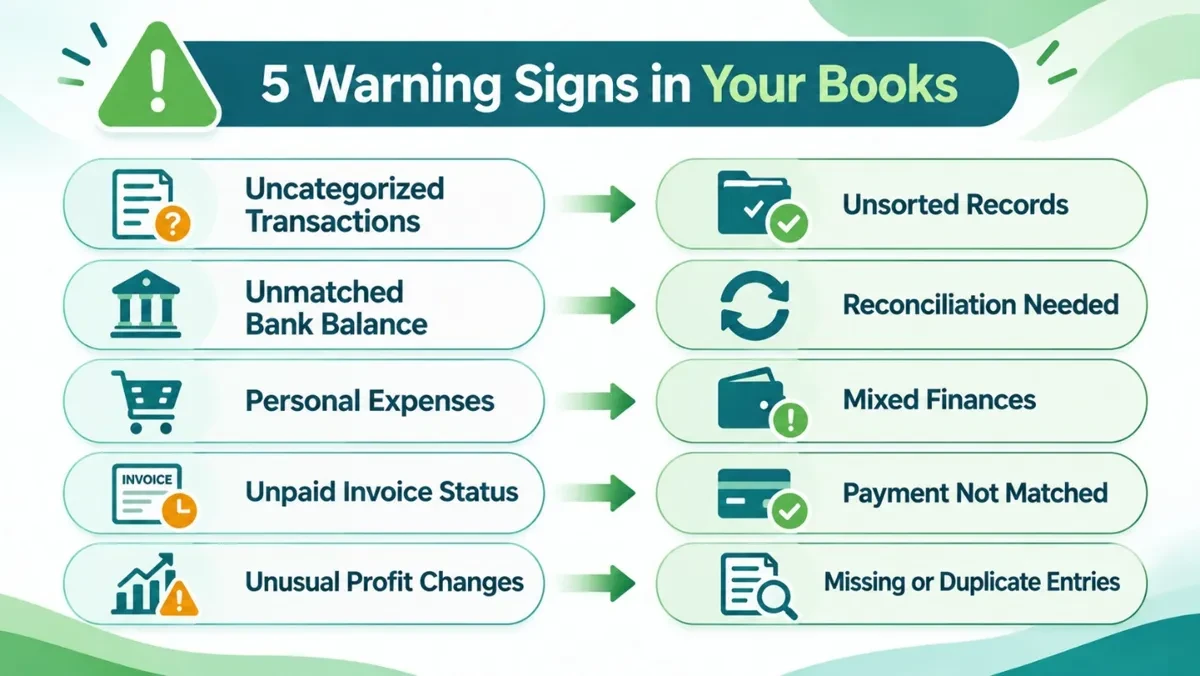
Not sure where to start? Check if you see any of these:
| What you see | What it usually means |
|---|---|
| “Uncategorized” or “Ask My Accountant” has a balance | Some transactions were never sorted |
| Software balance doesn’t match your bank statement | The account was not reconciled |
| Groceries or family trips in expenses | Personal and business money are mixed |
| A customer who paid still shows as owing | The payment was not matched to the invoice |
| Profit looks much higher or lower than last year, and you don’t know why | Something may be missing or counted twice |
If you see even one of these, it is better to fix it now than in the middle of tax season.
Get Your Documents and Reports Ready
Once your books are clean, get two more things ready: the papers behind your numbers, and your main reports.
Keep Your Supporting Documents Ready
Recording a transaction is not enough. Your tax preparer may also ask to see the paper behind it. For example, if they ask why your business spent $1,500 on equipment, you should be able to show the invoice or receipt.
Keep these documents in one place where you can find them easily:
- Sales invoices and customer receipts
- Vendor bills and expense receipts
- Bank and credit card statements
- Loan statements and payment details
- Payroll reports, if you have employees
- Receipts or invoices for big purchases, like equipment
- Payment processor statements, such as Stripe, PayPal, or Square
- Last year’s tax return
- Inventory records, if you sell products
Saving these as you go is much easier than searching for them in the same week your tax preparer needs them.
Review Your Three Main Reports
Before you send anything, open these three reports:
- Profit and Loss: shows your income, expenses, and profit for the period.
- Balance Sheet: shows what your business owns, what it owes, and what is left for the owner.
- Cash Flow Statement: helps explain how cash moved in and out of your business.
Take a few minutes to read the numbers and ask yourself:
- Does my income look right compared with my sales records?
- Are my expenses in the right categories?
- Is there a big change I can’t explain?
For example, if you normally spend about $500 a month on software but the report shows $5,000, find out why before you send the books.

Don’t Wait Until Tax Season
The easiest way to be tax-ready is to not leave everything until the end of the year. A simple rhythm works well:
- Every month: reconcile your accounts and sort new transactions.
- Every quarter: look at your reports and fix anything that looks strange.
- At year-end: make a final check, then send your reports to your tax preparer.
Small checks during the year take much less time than one big clean-up in February.
Be Ready Before They Ask
Tax preparation should start with clear books, not with a search for missing transactions or balances nobody can explain. When your books are up to date, your tax preparer can focus on your return, and you save time and avoid last-minute stress.
If your books need some work first, Accounting Touch can help you catch up, fix old mistakes, and get your records ready. If you want to stay tax-ready all year, our monthly bookkeeping keeps your accounts reconciled every month.